> ## Documentation Index
> Fetch the complete documentation index at: https://docs.pixldata.com/llms.txt
> Use this file to discover all available pages before exploring further.
# Comment
> The Comment Tool is the primary communication layer within PixlHub. It is used to flag edge cases, discuss problematic assets, or provide specific feedback during the labeling and review process.
 ### **Adding Comments**
There are two ways to initiate a conversation within a task:
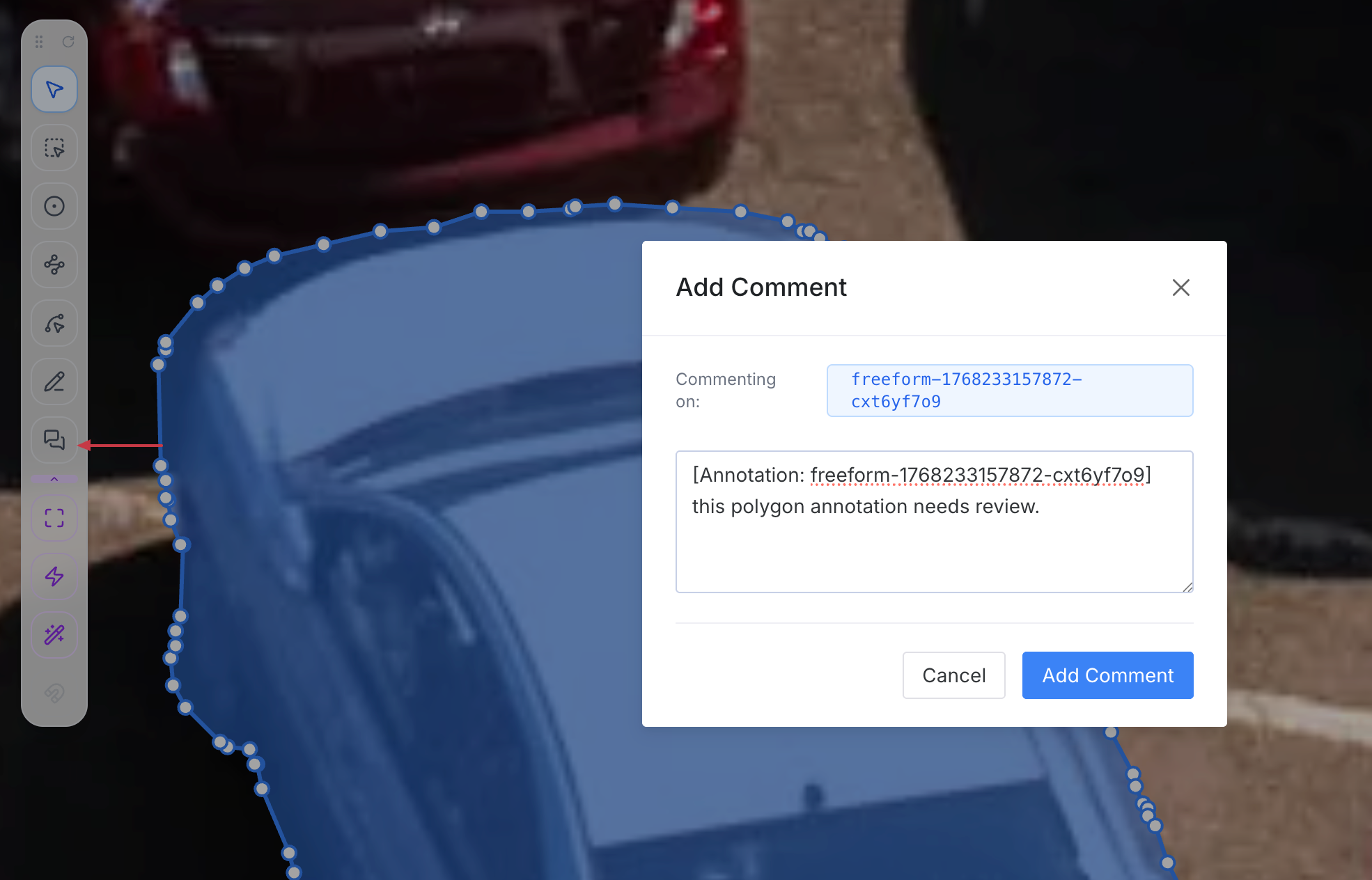
1. **Coordinate-Based Comments:** Select the Comment Tool from the **Smart Tool Palette** and click on a specific point on the canvas. This opens a modal window where the user can type their message and save it by clicking **"Add Comment."**
2. **Annotation-Specific Comments:** A comment can be linked directly to an existing label (e.g., a specific Bounding Box or Polygon). By right-clicking an annotation and selecting "Add Comment" from the **Context Menu**, the platform automatically embeds the **Annotation ID** into the message, ensuring there is no confusion about which object is being discussed.
### **Adding Comments**
There are two ways to initiate a conversation within a task:
1. **Coordinate-Based Comments:** Select the Comment Tool from the **Smart Tool Palette** and click on a specific point on the canvas. This opens a modal window where the user can type their message and save it by clicking **"Add Comment."**
2. **Annotation-Specific Comments:** A comment can be linked directly to an existing label (e.g., a specific Bounding Box or Polygon). By right-clicking an annotation and selecting "Add Comment" from the **Context Menu**, the platform automatically embeds the **Annotation ID** into the message, ensuring there is no confusion about which object is being discussed.
 ### **Collaboration Features**
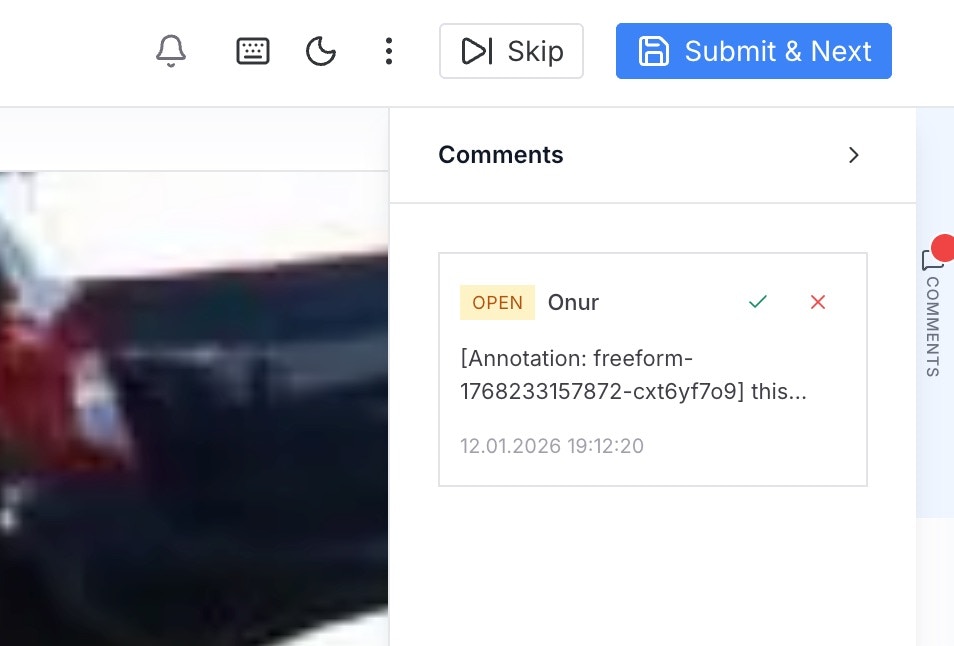
* **Mentions:** Users can use the **"@"** symbol to mention and notify specific team members within a comment. This is the standard way to assign a query to a manager or a fellow annotator.
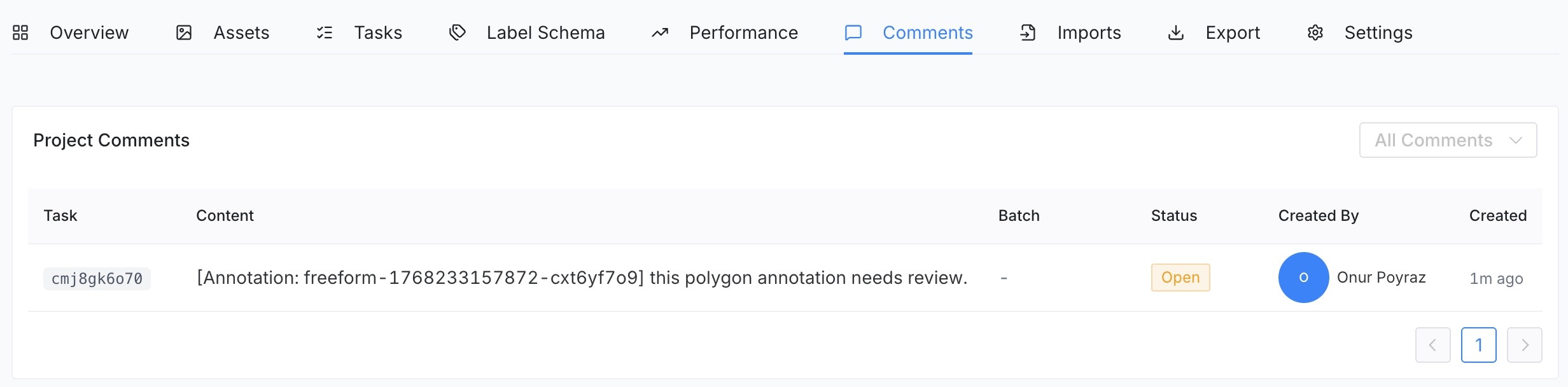
* **Centralized Tracking:** All comments associated with a project are aggregated under the **Comments Tab** in the **Project Details** page. This provides a high-level view of all ongoing discussions and unresolved issues across the entire dataset.
### **Collaboration Features**
* **Mentions:** Users can use the **"@"** symbol to mention and notify specific team members within a comment. This is the standard way to assign a query to a manager or a fellow annotator.
* **Centralized Tracking:** All comments associated with a project are aggregated under the **Comments Tab** in the **Project Details** page. This provides a high-level view of all ongoing discussions and unresolved issues across the entire dataset.
 ### **Managing Comments**
To maintain a clean workflow, comments follow a set of permission rules:
* **Resolving & Deletion:** A comment can be marked as "Resolved" once the issue is addressed.
* **Permissions:** Standard users can only delete or resolve the comments they have created. **Project Managers**, however, have full administrative rights to resolve or delete any comment within the project to ensure the workflow remains unblocked.
### **Managing Comments**
To maintain a clean workflow, comments follow a set of permission rules:
* **Resolving & Deletion:** A comment can be marked as "Resolved" once the issue is addressed.
* **Permissions:** Standard users can only delete or resolve the comments they have created. **Project Managers**, however, have full administrative rights to resolve or delete any comment within the project to ensure the workflow remains unblocked.