> ## Documentation Index
> Fetch the complete documentation index at: https://docs.pixldata.com/llms.txt
> Use this file to discover all available pages before exploring further.
# Assets
Assets are the raw data files—such as images or videos—that form the foundation of any labeling project. The Assets page provides a centralized environment to upload, organize, and monitor the status of these files.
 ### **The Upload Process**
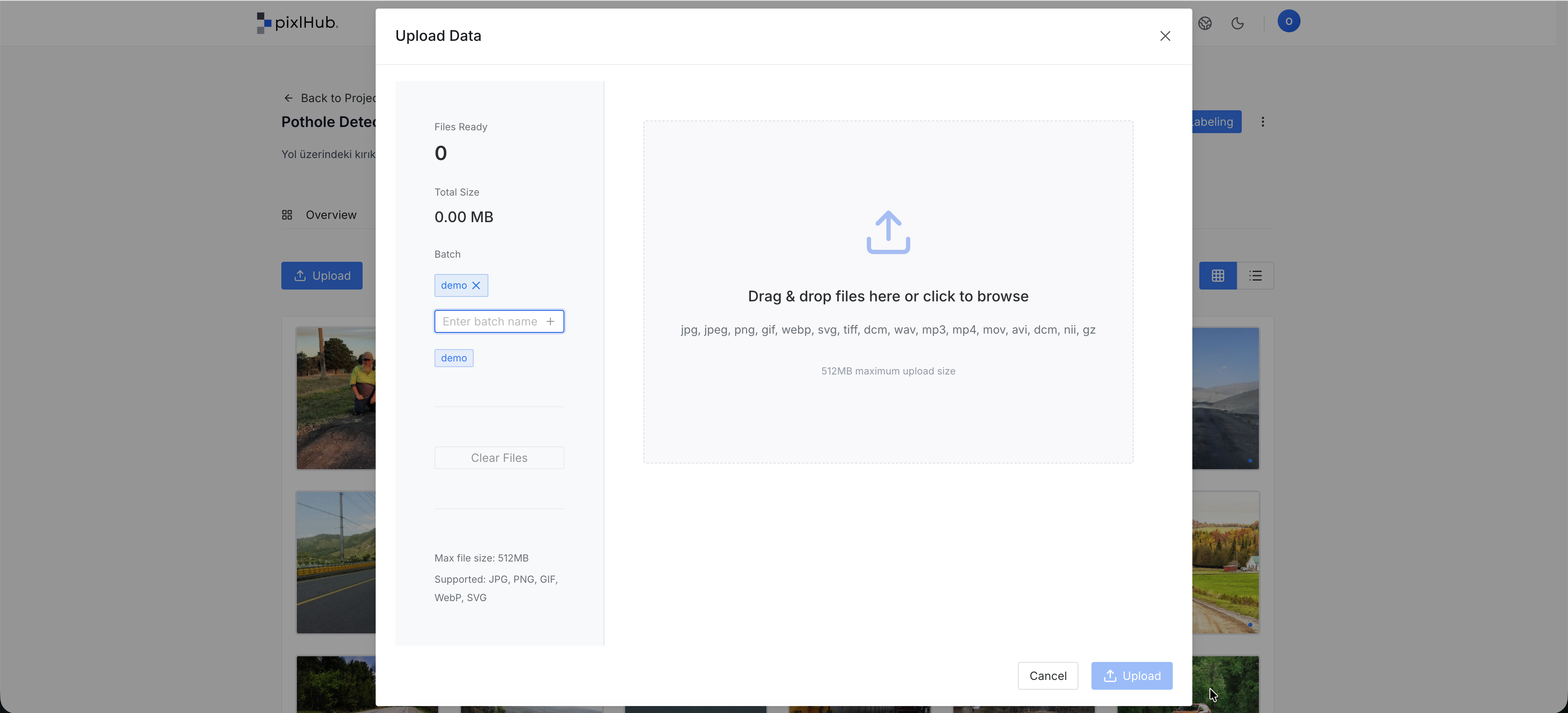
Data is imported into the project through a dedicated upload interface.
* **Multi-File Selection:** Users can select and upload multiple files simultaneously.
* **Upload Constraints:** To ensure stability, each upload session is limited to a maximum of **1000 files** and a total size of **512 MB**.
* **Continuous Uploads:** If a dataset exceeds these limits, additional files can be added by initiating a new upload session after the current one completes. New files can be assigned to existing batches to maintain data continuity.
### **Organization with Batches**
During the upload process, assets can be assigned to a **Batch**. Batches allow managers to group data logically (e.g., by date, source, or priority), making it easier to distribute work and filter datasets as the project grows.
### **Viewing and Navigation**
The platform offers two distinct ways to interact with the dataset:
* **Gallery View:** Optimized for visual browsing. Clicking on an asset in this mode opens a high-quality **preview** of the file.
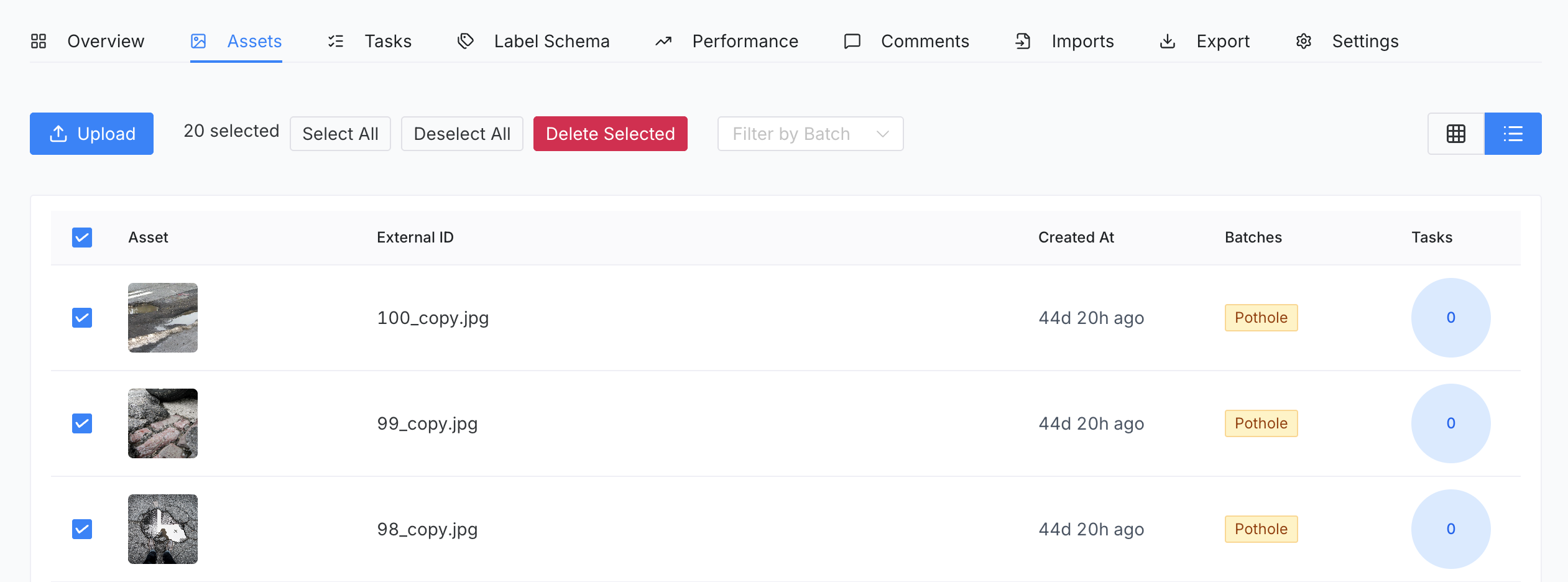
* **List View:** Designed for data management. Bulk selection and administrative actions are performed exclusively in this view.
* **Filtering:** A batch-based filter is available to quickly isolate specific subsets of the data.
### **Status Indicators**
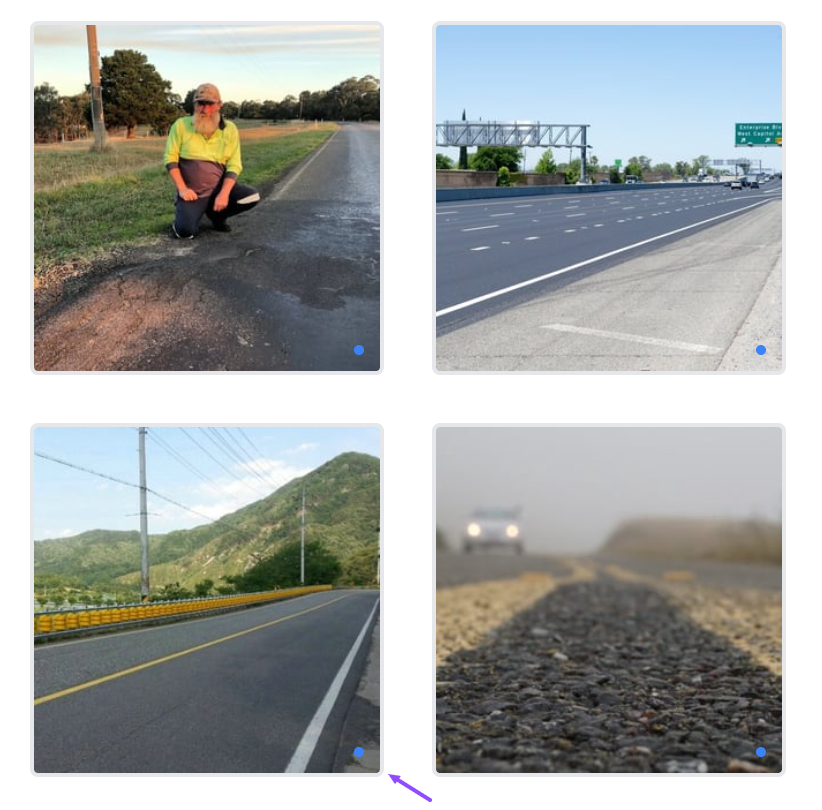
In Gallery View, each asset features a small color-coded indicator in the bottom-right corner to show its current labeling progress:
* **Blue Indicator:** The asset is raw and has not yet been labeled.
* **Green Indicator:** The asset has been successfully labeled.
### **The Upload Process**
Data is imported into the project through a dedicated upload interface.
* **Multi-File Selection:** Users can select and upload multiple files simultaneously.
* **Upload Constraints:** To ensure stability, each upload session is limited to a maximum of **1000 files** and a total size of **512 MB**.
* **Continuous Uploads:** If a dataset exceeds these limits, additional files can be added by initiating a new upload session after the current one completes. New files can be assigned to existing batches to maintain data continuity.
### **Organization with Batches**
During the upload process, assets can be assigned to a **Batch**. Batches allow managers to group data logically (e.g., by date, source, or priority), making it easier to distribute work and filter datasets as the project grows.
### **Viewing and Navigation**
The platform offers two distinct ways to interact with the dataset:
* **Gallery View:** Optimized for visual browsing. Clicking on an asset in this mode opens a high-quality **preview** of the file.
* **List View:** Designed for data management. Bulk selection and administrative actions are performed exclusively in this view.
* **Filtering:** A batch-based filter is available to quickly isolate specific subsets of the data.
### **Status Indicators**
In Gallery View, each asset features a small color-coded indicator in the bottom-right corner to show its current labeling progress:
* **Blue Indicator:** The asset is raw and has not yet been labeled.
* **Green Indicator:** The asset has been successfully labeled.
 ### **Data Management and Deletion**
To prevent accidental data loss, management actions follow specific rules:
* **Individual/Bulk Deletion:** Files can be selected and deleted only while in **List View**.
* **Project Deletion:** To remove an entire dataset along with the project, it is recommended to use the **Project Settings** menu rather than deleting files individually. This ensures a clean removal of all associated metadata and tasks.
### **Data Management and Deletion**
To prevent accidental data loss, management actions follow specific rules:
* **Individual/Bulk Deletion:** Files can be selected and deleted only while in **List View**.
* **Project Deletion:** To remove an entire dataset along with the project, it is recommended to use the **Project Settings** menu rather than deleting files individually. This ensures a clean removal of all associated metadata and tasks.