> ## Documentation Index
> Fetch the complete documentation index at: https://docs.pixldata.com/llms.txt
> Use this file to discover all available pages before exploring further.
# Quickstart Guide
> This guide provides the essential steps to launch a first labeling project on PixlHub. The process is designed to take less than five minutes from setup to the first annotation.
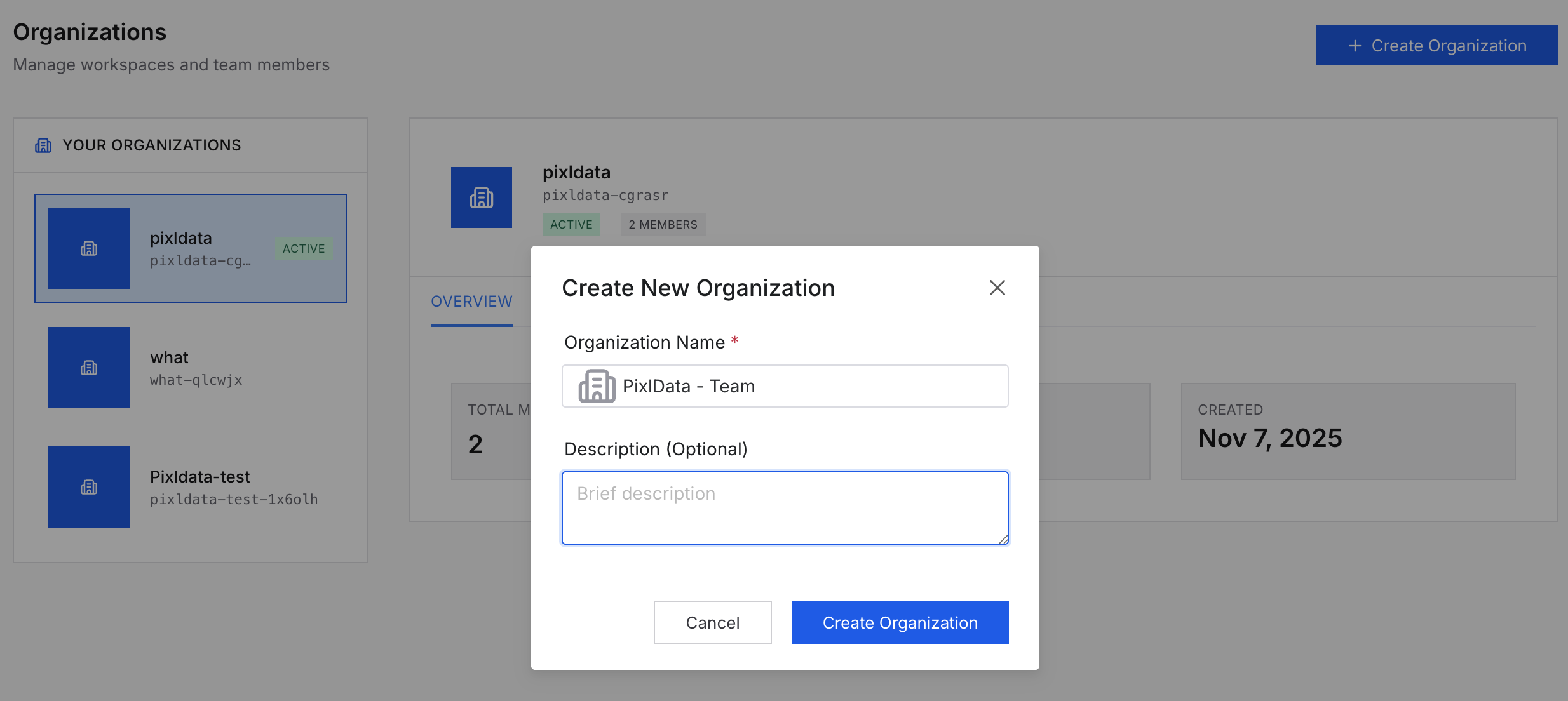
### 1. Create an Organization
The first step is setting up an **Organization**. This acts as the primary workspace where team members are managed and projects are hosted. Once the organization is created, it serves as the central hub for all data operations.
 ### 2. Setup a Project
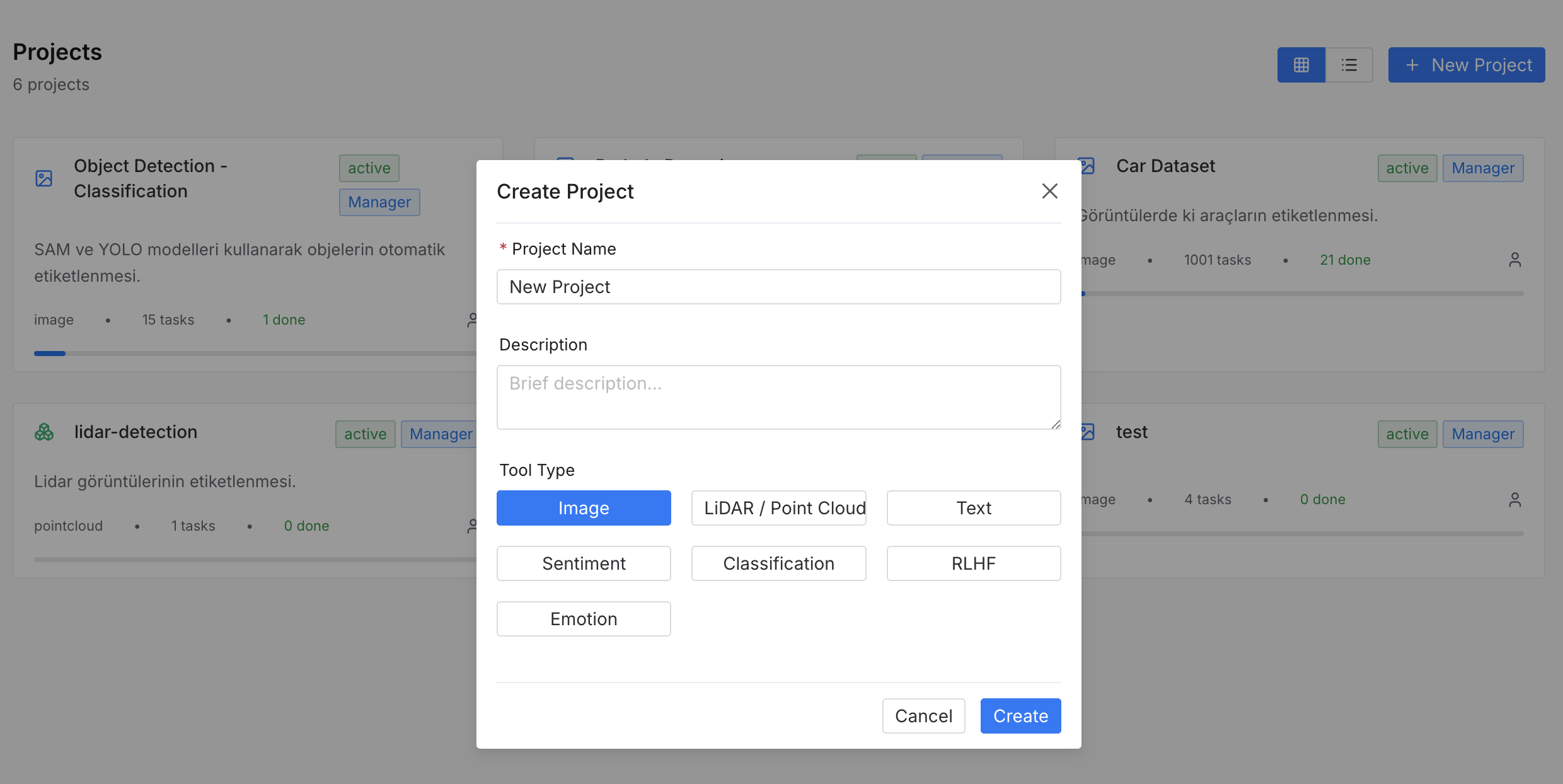
Inside the organization, create a new project to define the workspace:
* **Tool Type:** Choose the primary format (Image, Video, or Text).
* **Ontology:** Define the classes (e.g., "Vehicle") and attributes (e.g., "Color") that will be used for labeling.
### 2. Setup a Project
Inside the organization, create a new project to define the workspace:
* **Tool Type:** Choose the primary format (Image, Video, or Text).
* **Ontology:** Define the classes (e.g., "Vehicle") and attributes (e.g., "Color") that will be used for labeling.
 ### 3. Import Data (Assets to Tasks)
PixlHub simplifies the workflow by automatically converting uploaded files into actionable tasks.
* **Default Import:** When raw files (**Assets**) are uploaded, PixlHub automatically creates tasks for them and places them in the **Label** status.
* **Prelabel Import:** If existing annotations are being migrated into PixlHub, they can be imported into the **Prelabel** status for further refinement.
### 4. Start Labeling
There is no need to manually assign work. When a user clicks **"Start Labeling"** on the project dashboard, PixlHub automatically assigns the next available task from the queue to that user.
### 5. Task Lifecycle
Each task moves through a specific lifecycle based on its current progress. Understanding these four statuses is key to managing the project:
* **Prelabel:** Reserved for imported data that already contains initial annotations.
* **Label:** The default starting point. Tasks in this status are in the queue, waiting to be picked up and labeled by a user.
* **Review:** Once a user submits their work, the task moves to this status. It indicates the task is labeled but requires manager approval.
* **Complete:** Tasks that have passed the review process and are finalized. These are ready for export.
**Need help?** See our documentation or join our Slack channel.
### 3. Import Data (Assets to Tasks)
PixlHub simplifies the workflow by automatically converting uploaded files into actionable tasks.
* **Default Import:** When raw files (**Assets**) are uploaded, PixlHub automatically creates tasks for them and places them in the **Label** status.
* **Prelabel Import:** If existing annotations are being migrated into PixlHub, they can be imported into the **Prelabel** status for further refinement.
### 4. Start Labeling
There is no need to manually assign work. When a user clicks **"Start Labeling"** on the project dashboard, PixlHub automatically assigns the next available task from the queue to that user.
### 5. Task Lifecycle
Each task moves through a specific lifecycle based on its current progress. Understanding these four statuses is key to managing the project:
* **Prelabel:** Reserved for imported data that already contains initial annotations.
* **Label:** The default starting point. Tasks in this status are in the queue, waiting to be picked up and labeled by a user.
* **Review:** Once a user submits their work, the task moves to this status. It indicates the task is labeled but requires manager approval.
* **Complete:** Tasks that have passed the review process and are finalized. These are ready for export.
**Need help?** See our documentation or join our Slack channel.