> ## Documentation Index
> Fetch the complete documentation index at: https://docs.pixldata.com/llms.txt
> Use this file to discover all available pages before exploring further.
# Models
> Connect your own ML models to PixlHub for automated pre-labeling: register an inference endpoint, map its outputs, and track every execution in Run History.
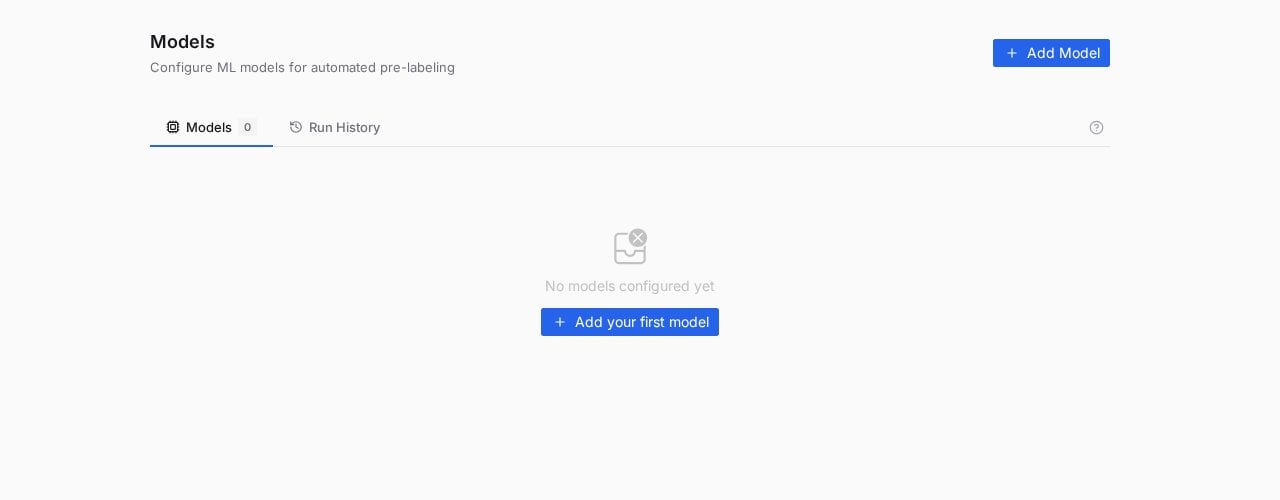
Hand-drawing every annotation stops making sense the moment you have a model that gets 80 percent of them right. The **Models** page (under **Flow** in the top navigation) registers your inference endpoints so PixlHub can call them for pre-labeling, and humans spend their time correcting instead of drawing.
 ## Bring your own model
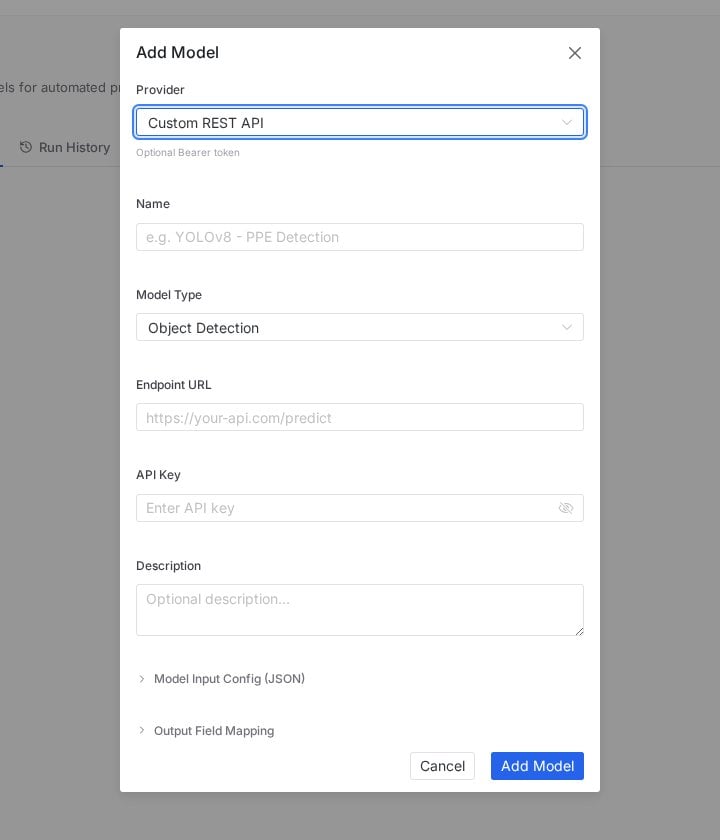
PixlHub treats a model as an HTTP endpoint you own: your YOLOv8 service, your SageMaker successor, your internal detector behind an API. Registration is one form:
## Bring your own model
PixlHub treats a model as an HTTP endpoint you own: your YOLOv8 service, your SageMaker successor, your internal detector behind an API. Registration is one form:
 | Field | What it does |
| ----------------------------- | ----------------------------------------------------------------------------------- |
| **Provider / Model Type** | Classifies the model for the UI and its task type |
| **Name** | How it appears everywhere (the form suggests the pattern: "YOLOv8 - PPE Detection") |
| **Endpoint URL** | Your inference API, called per asset |
| **API Key** | Sent with each request to authenticate against your service |
| **Model Input Config (JSON)** | The request shape your endpoint expects |
| **Output Field Mapping** | Translates your response fields into PixlHub annotations |
The two JSON contracts are the point: instead of forcing your API into a fixed schema, you describe the request and map the response, and almost any detector fits without a wrapper service.
## Where registered models act
The **AI Tools** section of the annotation palette exposes model assistance during labeling: propose annotations on the current task, then correct by hand. See [AI-assisted annotation](/guides/basics/ai-assisted-annotation) for the editor-side loop.
The **Run Model** node from the [workflow palette](/guides/projects/workflow) makes inference a pipeline step: tasks pass through the model before reaching human labelers, arriving pre-labeled at the Label queue.
## Run History
Every execution lands in the **Run History** tab: which model, which scope, when, and how it went. Treat it as the audit trail for automated labeling; when a batch of pre-labels looks off, the history tells you which model version produced it.
## Pre-labeling that actually saves time
* **Correcting beats drawing only when the model is decent.** Below roughly usable accuracy, deleting wrong boxes costs more than drawing; pilot on a small batch first.
* **Keep humans in the loop.** Pre-labels are proposals, not truth: run them through the same [review gate](/guides/quality/review-workflow) as human work, and watch the Reviewer Edit Rate.
* **Version your endpoint names.** "YOLOv8-shelf-v3" in the name field makes Run History legible six months later.
## Frequently asked questions
No. Models are an accelerator, not a requirement; the editor's manual tools and the smart palette work without any registered model.
On your endpoint, on your infrastructure. PixlHub sends requests and maps responses; the model, its weights and its compute remain entirely yours.
Language-model workers are configured separately as Agents, with providers like OpenAI, Anthropic, Google, Grok and local Ollama.
## Next steps
LLM workers for text, NER and captioning workflows.
The editor-side experience of model assistance.
| Field | What it does |
| ----------------------------- | ----------------------------------------------------------------------------------- |
| **Provider / Model Type** | Classifies the model for the UI and its task type |
| **Name** | How it appears everywhere (the form suggests the pattern: "YOLOv8 - PPE Detection") |
| **Endpoint URL** | Your inference API, called per asset |
| **API Key** | Sent with each request to authenticate against your service |
| **Model Input Config (JSON)** | The request shape your endpoint expects |
| **Output Field Mapping** | Translates your response fields into PixlHub annotations |
The two JSON contracts are the point: instead of forcing your API into a fixed schema, you describe the request and map the response, and almost any detector fits without a wrapper service.
## Where registered models act
The **AI Tools** section of the annotation palette exposes model assistance during labeling: propose annotations on the current task, then correct by hand. See [AI-assisted annotation](/guides/basics/ai-assisted-annotation) for the editor-side loop.
The **Run Model** node from the [workflow palette](/guides/projects/workflow) makes inference a pipeline step: tasks pass through the model before reaching human labelers, arriving pre-labeled at the Label queue.
## Run History
Every execution lands in the **Run History** tab: which model, which scope, when, and how it went. Treat it as the audit trail for automated labeling; when a batch of pre-labels looks off, the history tells you which model version produced it.
## Pre-labeling that actually saves time
* **Correcting beats drawing only when the model is decent.** Below roughly usable accuracy, deleting wrong boxes costs more than drawing; pilot on a small batch first.
* **Keep humans in the loop.** Pre-labels are proposals, not truth: run them through the same [review gate](/guides/quality/review-workflow) as human work, and watch the Reviewer Edit Rate.
* **Version your endpoint names.** "YOLOv8-shelf-v3" in the name field makes Run History legible six months later.
## Frequently asked questions
No. Models are an accelerator, not a requirement; the editor's manual tools and the smart palette work without any registered model.
On your endpoint, on your infrastructure. PixlHub sends requests and maps responses; the model, its weights and its compute remain entirely yours.
Language-model workers are configured separately as Agents, with providers like OpenAI, Anthropic, Google, Grok and local Ollama.
## Next steps
LLM workers for text, NER and captioning workflows.
The editor-side experience of model assistance.