
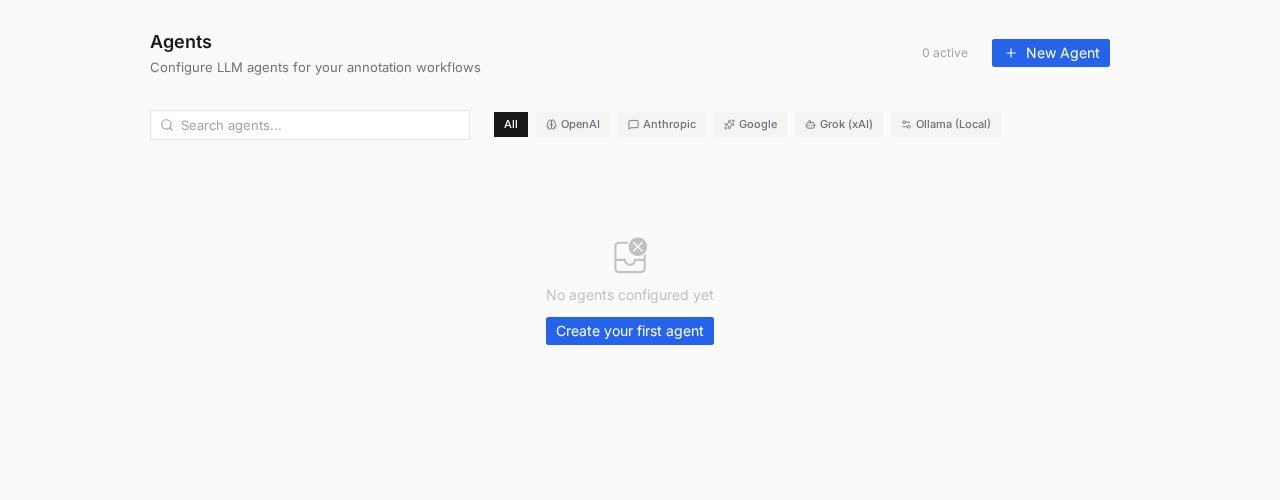
The Agents page with provider filters. Each agent is a named, prompted, reusable LLM configuration.
Pick a provider
- Cloud providers
- Ollama (local)
OpenAI, Anthropic, Google and Grok (xAI) run on your own API key (“your organization’s API key for this provider”). Enter the key and PixlHub fetches the models available to your account for the Model dropdown. Costs accrue on your provider account, under your control.
Create an agent
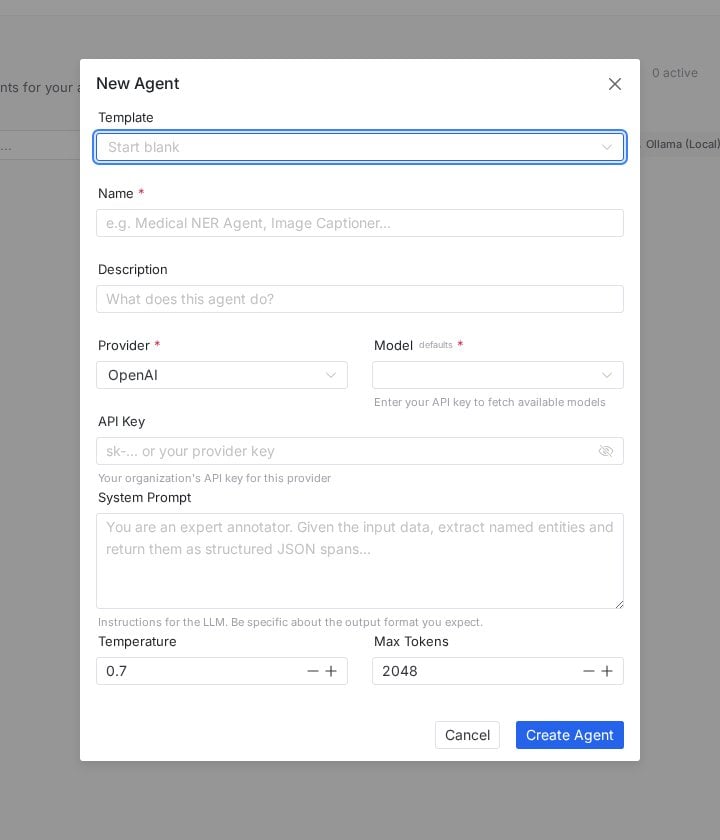
New Agent: template or blank start, provider and model, and the system prompt that defines the job.
1
Start from a template or blank
The Template dropdown offers ready configurations; Start blank builds from scratch.
2
Name the job, not the model
The form’s own examples set the tone: “Medical NER Agent”, “Image Captioner”. Names describe what the agent does, so a team can pick the right one without reading prompts.
3
Write the system prompt
This is the agent’s job description. The placeholder shows the shape that works: “You are an expert annotator. Given the input data, extract named entities and return them as structured JSON spans.” Be explicit about the output format you expect; structured output instructions are what make agent results usable downstream.
4
Tune the dials
Temperature (default 0.7) trades consistency against creativity; annotation work usually wants it low. Max Tokens (default 2048) caps response length.
Where agents work
- In the pipeline: the Agent node from the workflow palette inserts the agent as a processing step, so tasks flow through LLM processing exactly where your process needs it.
- In the editor: the Agent tab on the annotation screen’s right rail brings agent assistance into the labeling session itself.
Prompts that behave
- Specify the output contract. “Return JSON: []” beats “extract the entities” every time; parseable output is the difference between automation and cleanup.
- One agent, one job. A NER agent and a sentiment agent with clean prompts outperform one agent with a paragraph of ifs.
- Test on ugly examples. Prompts tuned on clean samples break on real data; feed the weird cases before rolling an agent into a pipeline.
- Low temperature for labeling. 0.1 to 0.3 keeps repeated runs consistent, which is what annotation needs; save 0.7+ for generative tasks like captioning drafts.
Frequently asked questions
Which provider should I pick?
Which provider should I pick?
The one your organization already has keys, contracts and comfort with; capability differences matter less than governance for labeling tasks. For data that cannot leave your infrastructure, Ollama is the answer by construction.
Do agents replace human annotators?
Do agents replace human annotators?
They replace the first draft, not the judgment. Agent output should flow through the same review gates as pre-labeling from vision models; the quality metrics will tell you how much trust each agent has earned.
How is this different from Models?
How is this different from Models?
Models wrap your own vision inference endpoints (detectors, segmenters); Agents wrap LLM providers with prompts. Perception versus language, roughly, and both plug into the same workflow palette.
Next steps
Project workflow
Where the Agent node joins the pipeline.
Models
The vision-model counterpart for pre-labeling.