
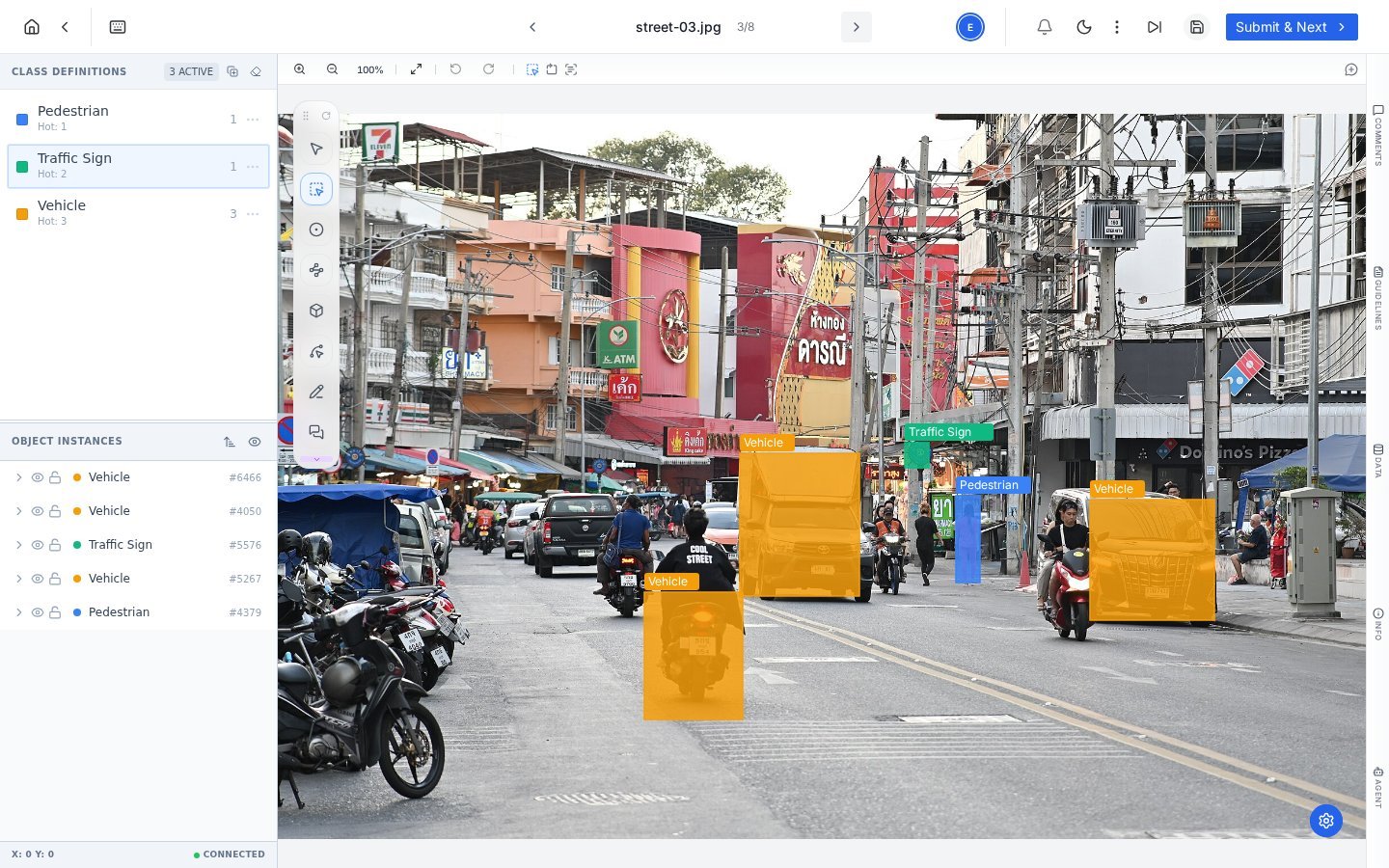
The PixlHub editor at work: class hotkeys, precise annotations, and every object tracked as an instance.
Start here
Quickstart
Project, data, labels and your first submitted task in about five minutes.
Core concepts
The seven ideas that make every screen predictable.
Learn the platform
Projects
Creation, workflow, assets, tasks and schemas.
Annotation editor
Panels, shortcuts and the full tool tour.
Annotation tools
Boxes, polygons, points, lines, freeform and cuboids.
Review & quality
Accept, reject, and the metrics that keep datasets honest.
AI & automation
Pre-labeling models, LLM agents and plugins.
Text module
Entity spans with character-exact offsets.
Popular tasks
- Upload data and understand batches
- Design a label schema that labels well
- Set up model pre-labeling
- Invite your team and assign roles
- Export annotations for training
New to data labeling entirely? The PixlData blog covers the wider practice: tool comparisons, annotation techniques and dataset quality guides.