
The queue at a glance
Four counters across the top give the state of the whole project in one row: Label Queue, Review Queue, Completed, and Total Tasks. These mirror the live counts on the workflow nodes; when the review number grows while completed stalls, you know where the bottleneck is before opening a single task.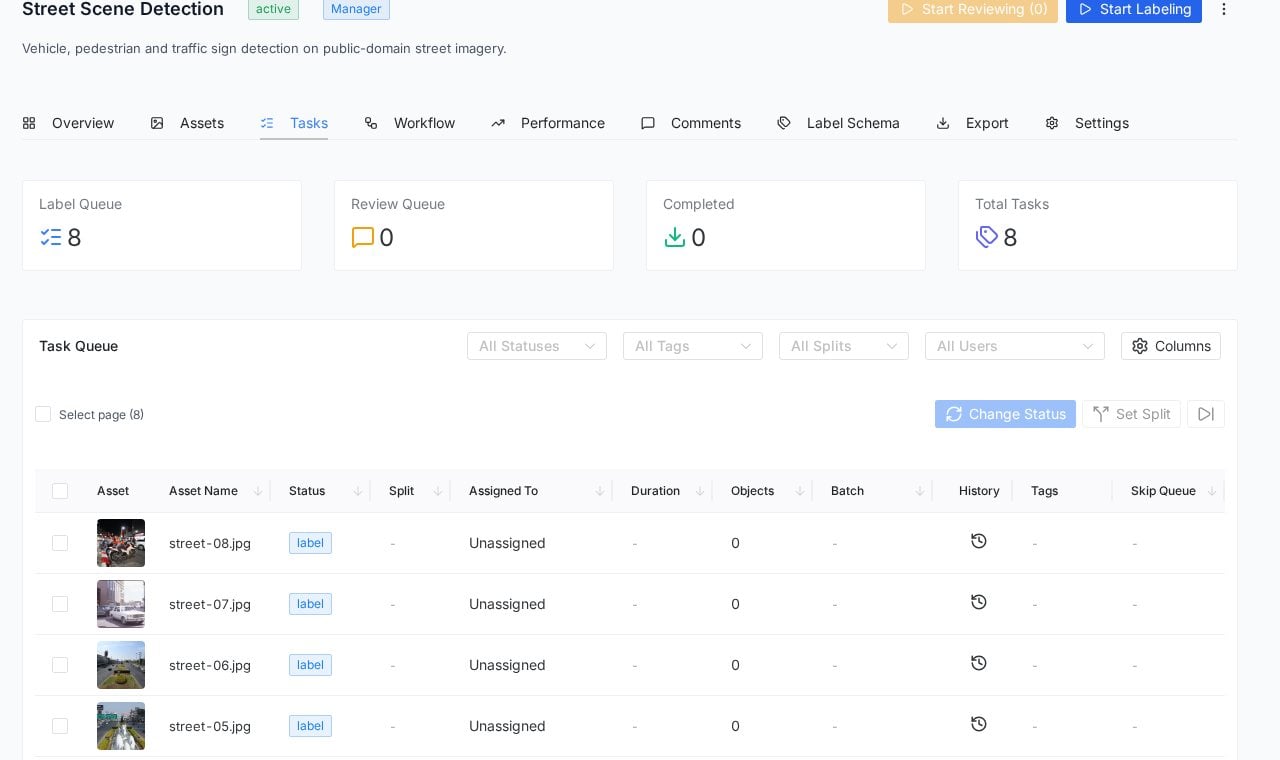
The Tasks tab: queue counters on top, the filterable task table below.
The task table
Each row is one task (one asset) with its operational facts: thumbnail and name, current Status chip, Split, Assigned To, Duration, annotated Objects count, Batch, plus History, Tags and Skip Queue indicators. The Columns control on the right hides what you do not use, and the layout keeps your choice. Filters along the top narrow the table by status, tags, splits or users, which turns everyday questions into two clicks: what is still unassigned, what did this labeler complete today, which batch is stuck in review.Bulk operations
Select tasks with the row checkboxes (or Select page for everything visible) and two actions activate:- Change Status moves the selection to another workflow step at once, the honest tool for “these thirty were labeled under the old guideline, send them back”.
- Set Split assigns the selection to a named split (train, validation, test), so your dataset partitioning lives with the tasks instead of in a spreadsheet nobody updates.
Per-task depth
The History icon on each row opens the task’s audit trail: who did what, when, through which statuses. Objects shows the annotation count recorded for the task, and Duration accumulates the time spent, feeding the throughput numbers in the Performance tab.Frequently asked questions
How do tasks get assigned?
How do tasks get assigned?
The workflow’s Label node assignment rule decides who can pull tasks (for example, Anyone). Assignments happen when someone starts a task from the queue; the Assigned To column then shows the owner. Team roles control who is eligible (full guide coming to this section soon).
What does Skip Queue mean?
What does Skip Queue mean?
Tasks skipped in the editor (via Skip this task) are tracked so they resurface rather than silently disappearing; the column shows the skip trail.
Can I export only certain tasks?
Can I export only certain tasks?
Splits and batches are your levers: partition with Set Split or filter by batch, then use those boundaries in Exports.
Next steps
Project workflow
The pipeline these statuses move through.
Exports
Turning completed tasks into training data.