Local Inference & Privacy
All AI models within PixlHub are modified for optimized performance and run locally. The platform does not send data to external APIs or third-party servers. This ensures that even when using AI-assisted tools, sensitive data remains entirely within the local environment.Smart AI Tools
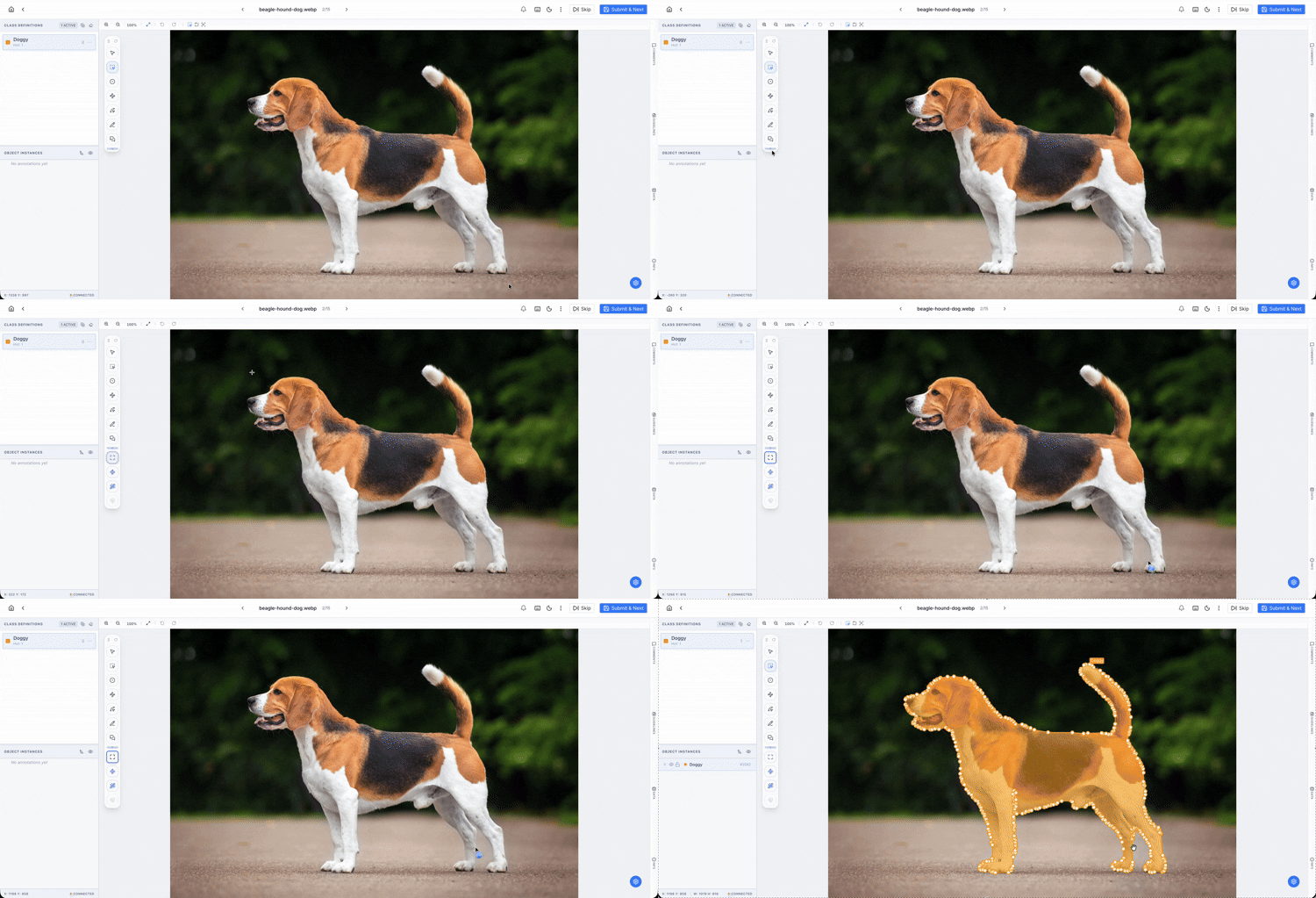
The following models are accessible via the Smart Tool Palette: 1. Polygon from BBox This tool combines the speed of a bounding box with the precision of a polygon.- Workflow: The user draws a standard box around an object.
- AI Action: The model instantly identifies the object’s boundaries within that box and converts it into a high-fidelity Polygon. This is ideal for quickly segmenting objects with complex edges.
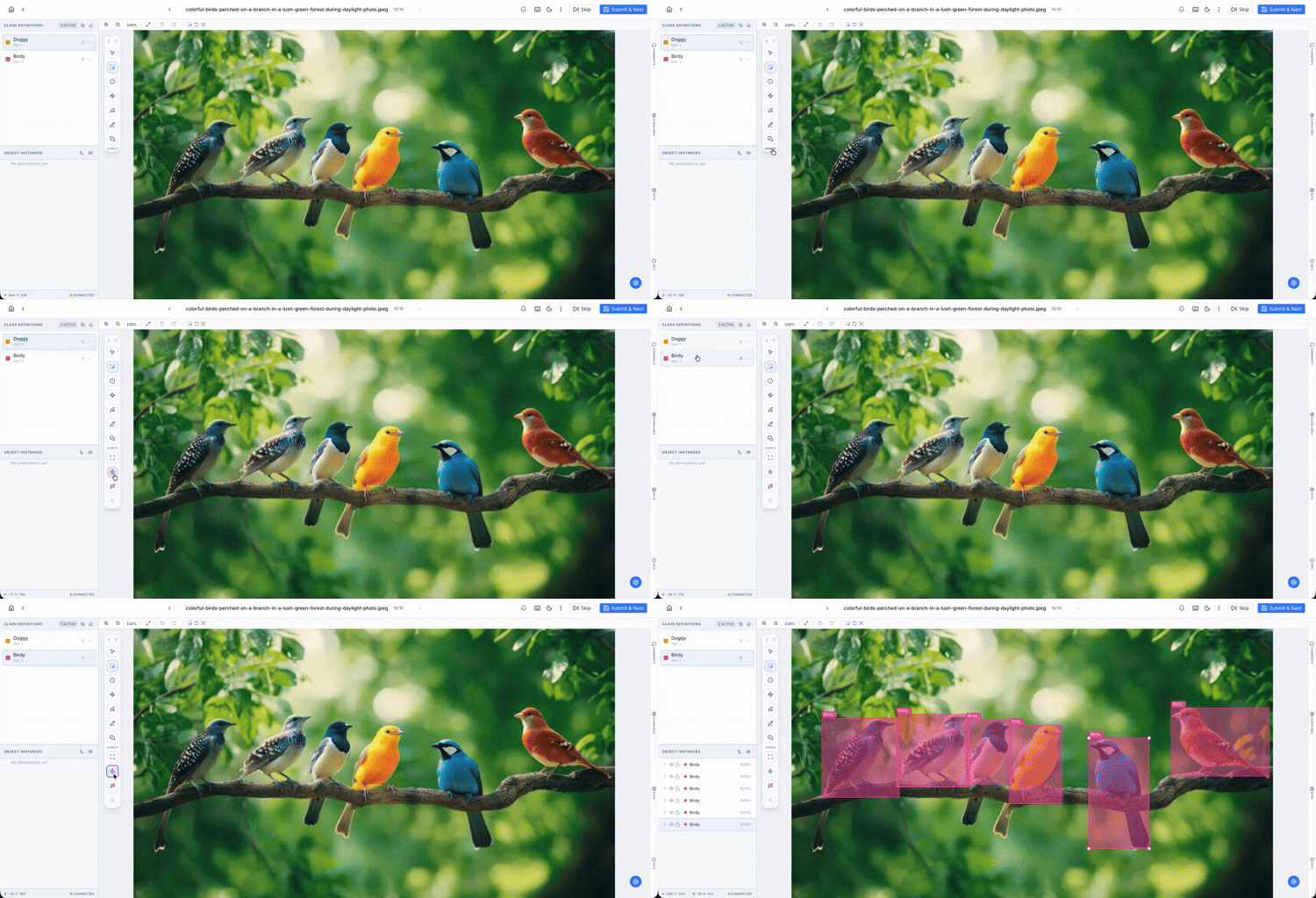
- Workflow: Activate the tool with one click on the canvas.
- AI Action: Utilizing a modified YOLO model, the platform detects all recognizable objects in the frame and automatically labels them as Bounding Boxes based on the selected label schema.
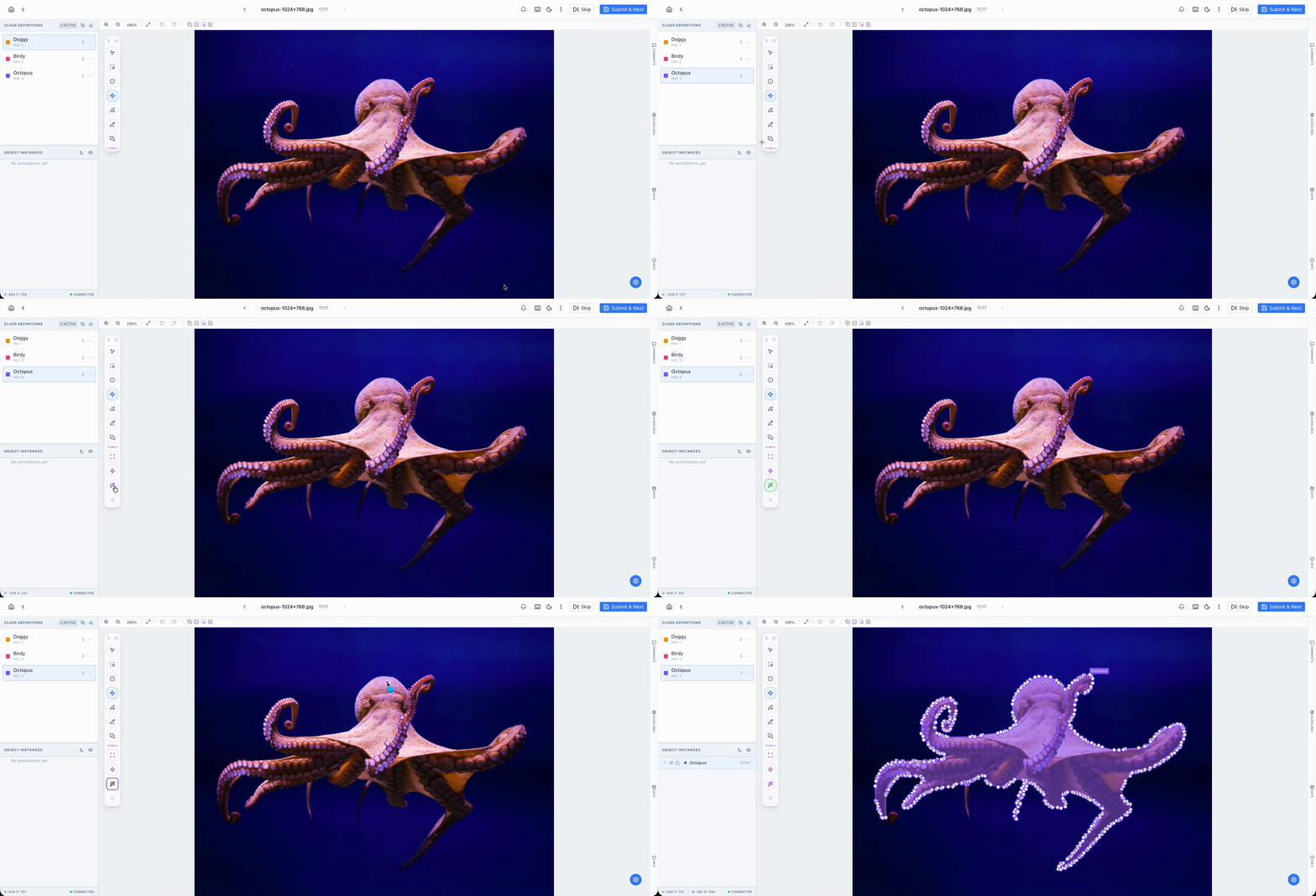
- Workflow: The user places a single Point on the target object.
- AI Action: Powered by a modified Segment Anything Model (SAM), the AI identifies the entire structure of the object and wraps it in a precise Polygon. It is the most efficient way to label irregular shapes with a single click.