
Available in image projects. Freeform shapes behave like polygons after creation: same class system, same vertex editing, same export geometry.
When freehand beats clicking
The demo below uses a supermarket meringue bag: crinkled plastic, no straight edge anywhere, exactly the shape vertex-clicking hates.
Draw a freeform shape
1
Arm the class
Press the class hotkey (Product here) or click the class name.
2
Pick the Freeform tool
Click the pen icon in the floating palette.
3
Press, trace, release
Hold the mouse button down and follow the outline in one continuous motion. Releasing closes the shape automatically.
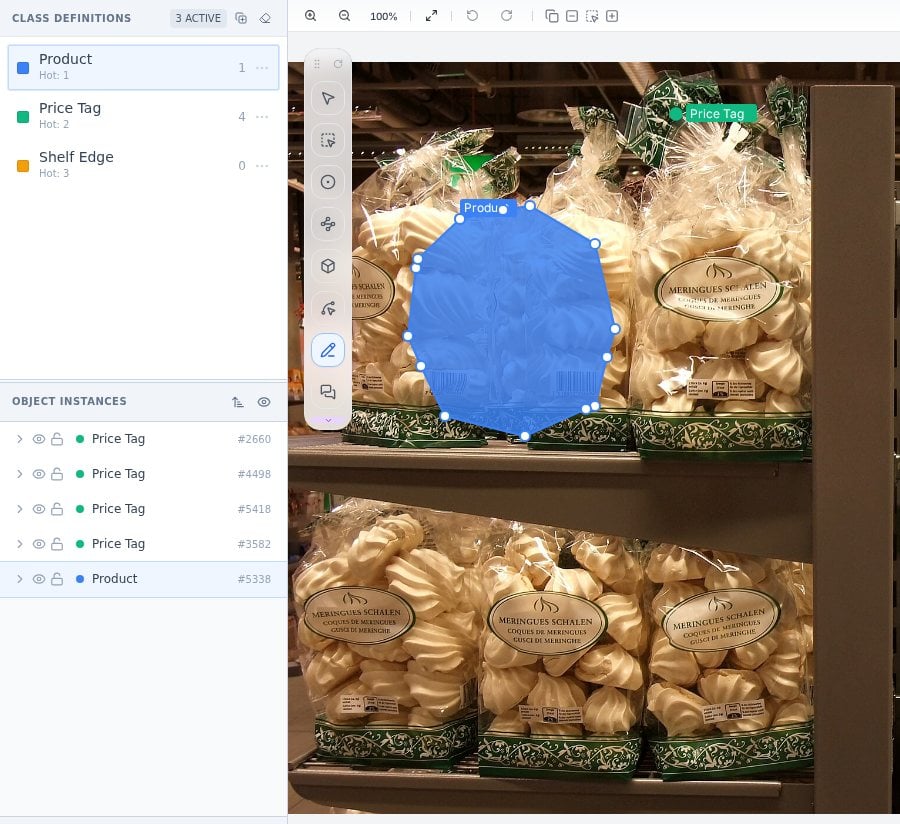
One stroke around the bag. The shape closes on release and joins Object Instances alongside the point annotations from earlier in this task.
Refine after the stroke
A freeform shape lands as an editable outline with vertex handles, so a wobbly section takes seconds to fix: switch to Select, click the shape, drag the offending handles.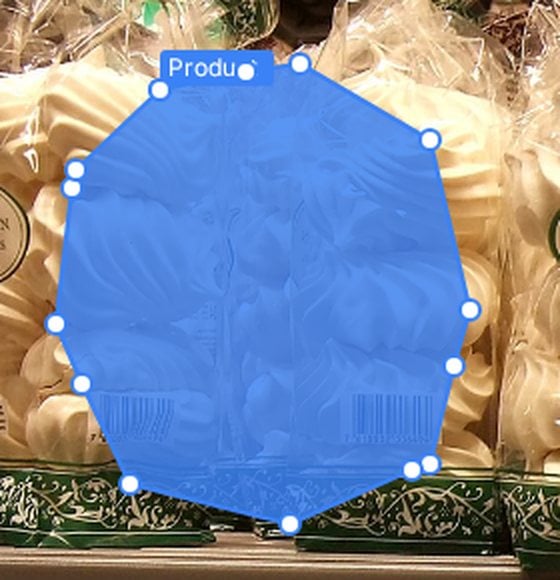
Selected freeform shapes expose handles like any polygon; imperfect strokes are corrected, not redrawn.
Stroke technique
- Slow hand, smooth outline. Stroke speed maps directly to vertex density; a slower trace follows detail better.
- Zoom to the object first. Freehand precision at 100 percent on a small object is luck, not skill.
- Do not chase every wrinkle. Guideline-level fidelity beats pixel heroics; a clean approximate outline trains better than a jittery exact one.
- Fix, do not redo. One rough section means dragging three handles, not redrawing the stroke.
Frequently asked questions
Is a freeform shape different from a polygon in the data?
Is a freeform shape different from a polygon in the data?
Structurally they are both closed outlines. Freeform is a faster input method for the same kind of geometry, so exports treat them alike. Details in Exports.
My strokes come out shaky. Any settings to help?
My strokes come out shaky. Any settings to help?
Zoom in further (canvas motion smooths relative to image pixels) and slow the stroke. A drawing tablet helps for all-day freehand work, though most annotators do fine with a mouse at higher zoom.
Can AI propose the outline instead?
Can AI propose the outline instead?
Yes. AI-assisted annotation can generate an outline you only correct, which often beats hand-tracing on well-defined objects.
Next steps
Polygon tool
Clicked vertices for angular, precise outlines.
AI-assisted annotation
Model-proposed shapes you refine instead of draw.