
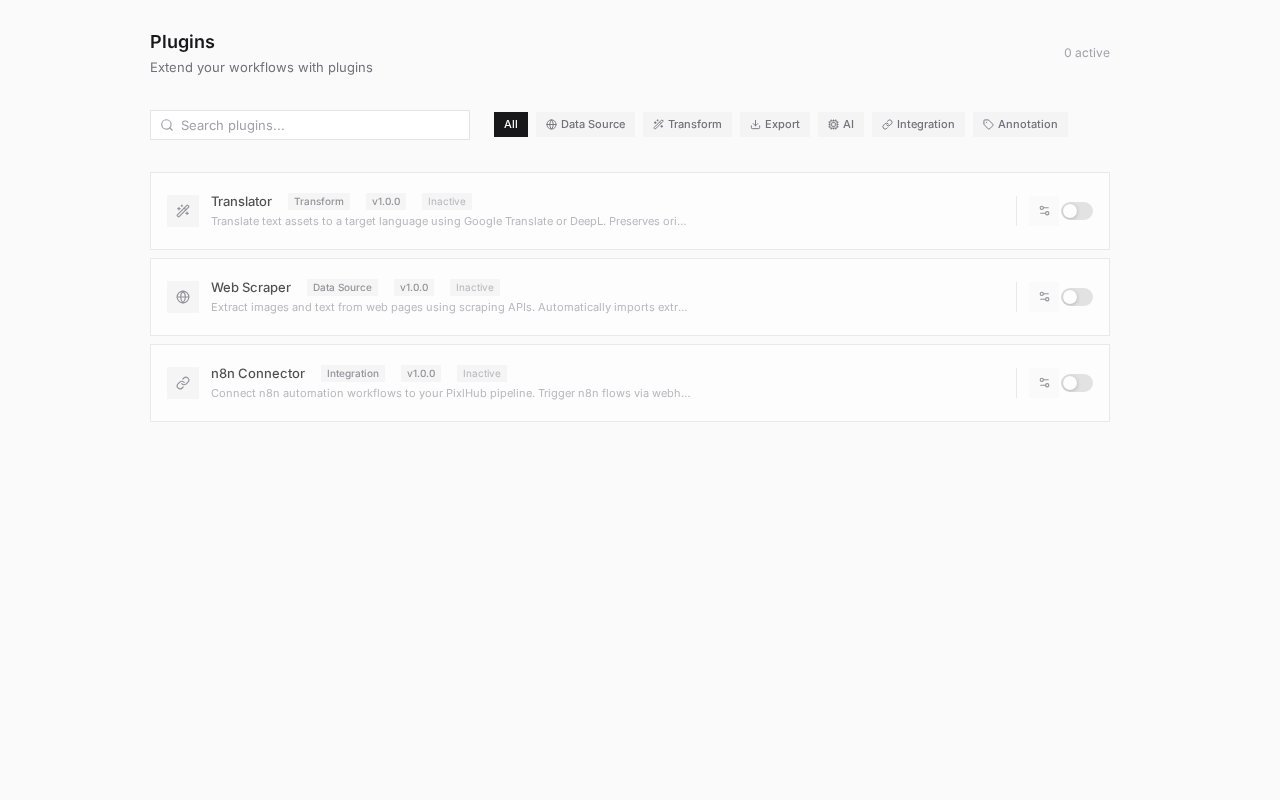
The plugin catalog: category filters across the top, install state and version on every card.
Categories
The current catalog
- Web Scraper
- Translator
- n8n Connector
Data Source. Extracts images and text from web pages through scraping APIs and imports the results straight into your project as assets. The fastest route from “the data is on these pages” to a filled Assets tab, no manual download-and-upload loop.
Activation and use
Plugins list as Inactive with their version until you enable them for the workspace. Once active, they participate in two places: their own configuration surface, and the Plugin node in the workflow editor, which lets a pipeline step hand tasks to the plugin and continue with its output.The catalog is versioned per plugin (the cards show v1.0.0 today) and grows independently of platform releases; check back after platform updates for new entries.
Choosing the right mechanism
The Flow menu offers three extension mechanisms, and picking the right one saves rework:- Perception model you host yourself → Models
- Language task with a prompt → Agents
- Moving data between PixlHub and other systems → Plugins, with the n8n Connector as the universal adapter when no dedicated plugin exists
Frequently asked questions
Can plugins run automatically?
Can plugins run automatically?
Yes, through the workflow: a Plugin node executes as tasks reach it, which is how scraping, translation or webhook handoffs become unattended steps instead of manual chores.
What if the integration I need is missing?
What if the integration I need is missing?
The n8n Connector covers most gaps today, since n8n itself integrates with hundreds of services. For deeper needs, tell the PixlData team; the catalog is actively growing.
Next steps
Project workflow
Where Plugin nodes join the pipeline.
Assets
Where scraped and imported data lands.