
The six tabs
The Data drawer
A scrollable list of the project’s assets with thumbnail, assignee, stage and status per row: the editor’s answer to “let me check a different task” without a round-trip through the project page. Click an entry to jump.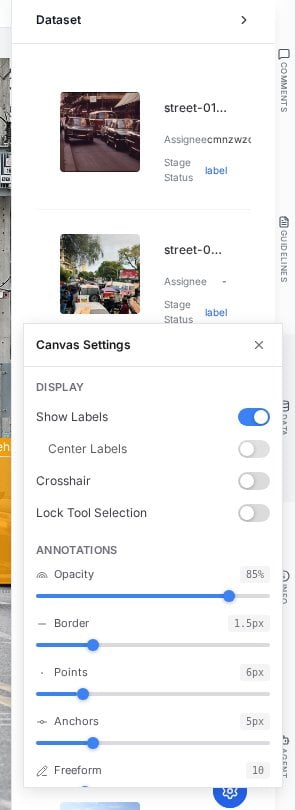
The Dataset drawer: every task browsable from inside the editor.
The Info drawer
Two tabs cover the current task’s paperwork:- Details: status chip, priority, time spent, stage, assignee, annotation count, skip state; the facts a reviewer or manager checks before judging progress.
- History: the audit trail of status movements, the same trail exposed in the Tasks table.
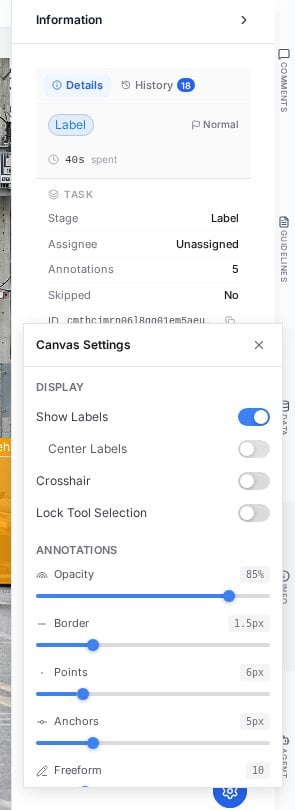
Info: the task's live facts on Details, its audit trail on History.
Working habits
- Guidelines open beats guidelines remembered. Ambiguity mid-task is a two-second check, not a guess; and if the answer is missing there, that is comment material.
- Watch the Comments dot. The unread indicator is how reviewer feedback reaches you on rejected tasks; opening the task and ignoring the rail wastes the feedback.
- Use Data for context, not for cherry-picking. Jumping to a neighboring frame to check how you labeled the same object yesterday is good practice; skipping around the queue to find easy tasks defeats the workflow’s bookkeeping.
Next steps
Comments
Pinned discussion, mentions and resolution.
Agents
What powers the Agent tab.