
Create a project with the Text tool type to get this editor. Text projects accept TXT, CSV, TSV, MD and XLSX uploads, with an import mode choice that matters: each row = task (a CSV of examples becomes a queue) or each file = task.
The editor
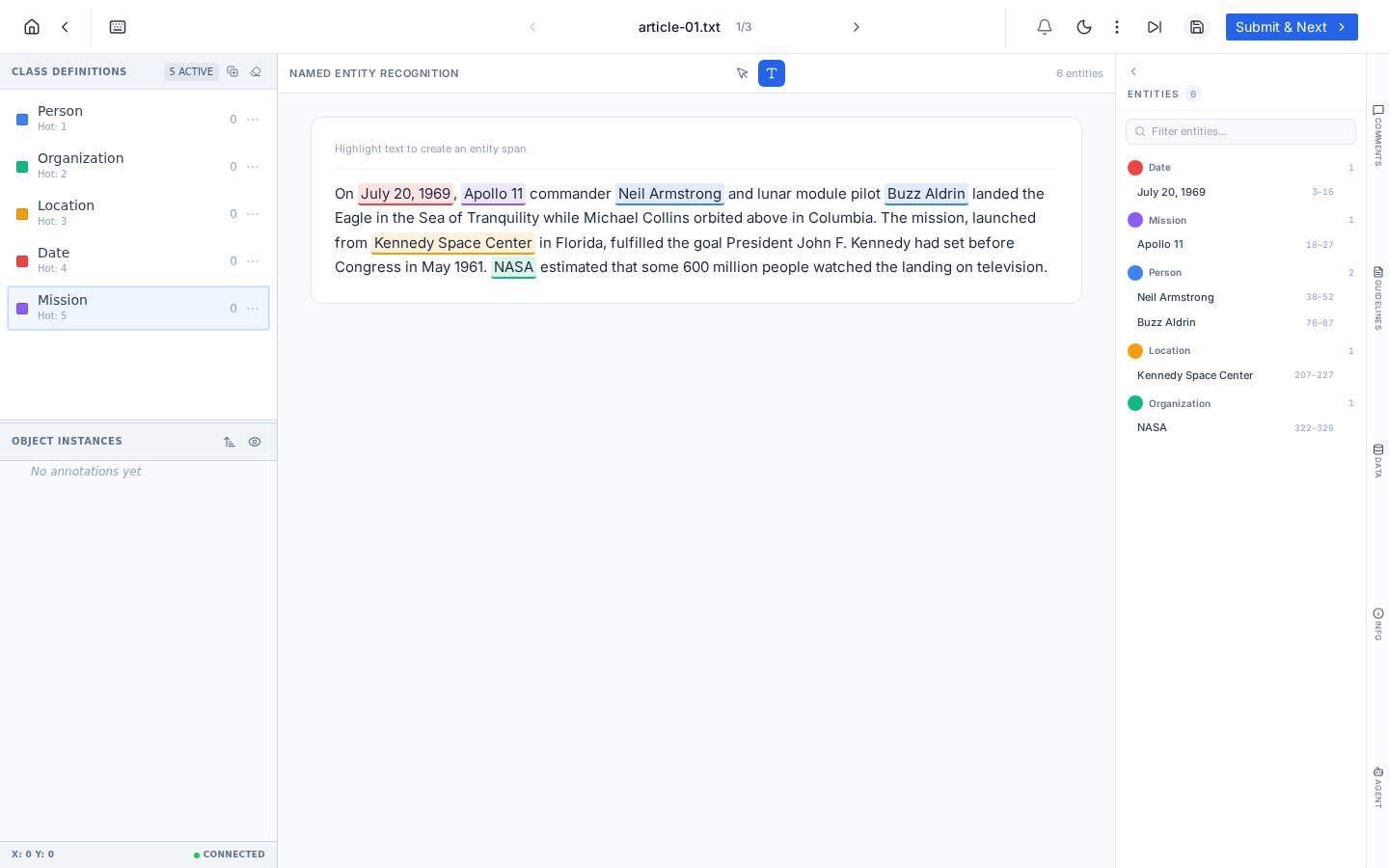
The text module: classes with hotkeys on the left, the document center, and every span in the Entities panel with exact character offsets.
Label a span
1
Arm the class
Press the class hotkey (1 through 5) or click the class: Person, Organization, whatever your schema defines.
2
Highlight the text
Select the words with your cursor, exactly like selecting text anywhere. On release, the span takes the armed class and renders inline with its color.
3
Repeat, then submit
The entity counter at the top right tracks progress; Submit & Next sends the task to review like any other.
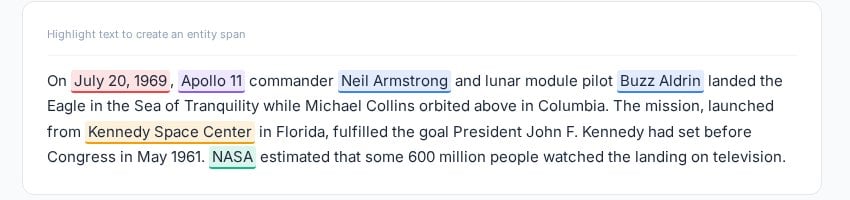
Spans render inline with class colors, readable at a glance even with five entity types in one sentence.
The Entities panel
Every span lists on the right, grouped by class, with its exact character offsets (like 38–52). Offsets are the ground truth NER training expects, and having them visible makes disputes precise: a reviewer can say “the Person span at 38–52 clips the surname” instead of describing a highlight.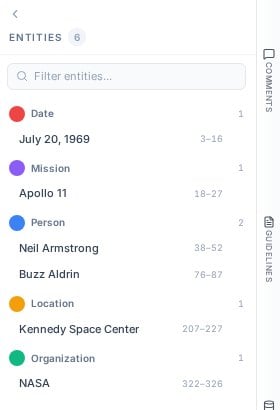
The entities panel: per-class grouping, character offsets, and a filter for long documents.
Working notes
- Punctuation discipline. Decide in your Guidelines whether spans include trailing punctuation and honor it; offset-level consistency is what NER models learn from.
- Overlaps and nesting are schema decisions: “Kennedy Space Center” as one Location or “Kennedy” as a Person inside it is a policy, not a preference.
- CSV row mode scales. A thousand-row CSV becomes a thousand-task queue in one upload, with the workflow, review and metrics machinery working as usual.
- Agents fit naturally here. A configured NER agent can propose spans that humans verify, the text counterpart of model pre-labeling.
Frequently asked questions
How do I fix a wrong span?
How do I fix a wrong span?
Select it and press the correct class hotkey to reclassify, or delete it and re-highlight. Edits are undoable like everything else.
How does text data export?
How does text data export?
Spans export with class and character offsets, ready for standard NER training formats. See Exports.
What about document-level classification?
What about document-level classification?
The Text tool type covers classification-style projects too; the schema defines the classes, and the task-per-row import makes labeled example sets fast to produce.
Next steps
Agents
LLM pre-labeling for text tasks.
Imports
Bringing existing text datasets in.