
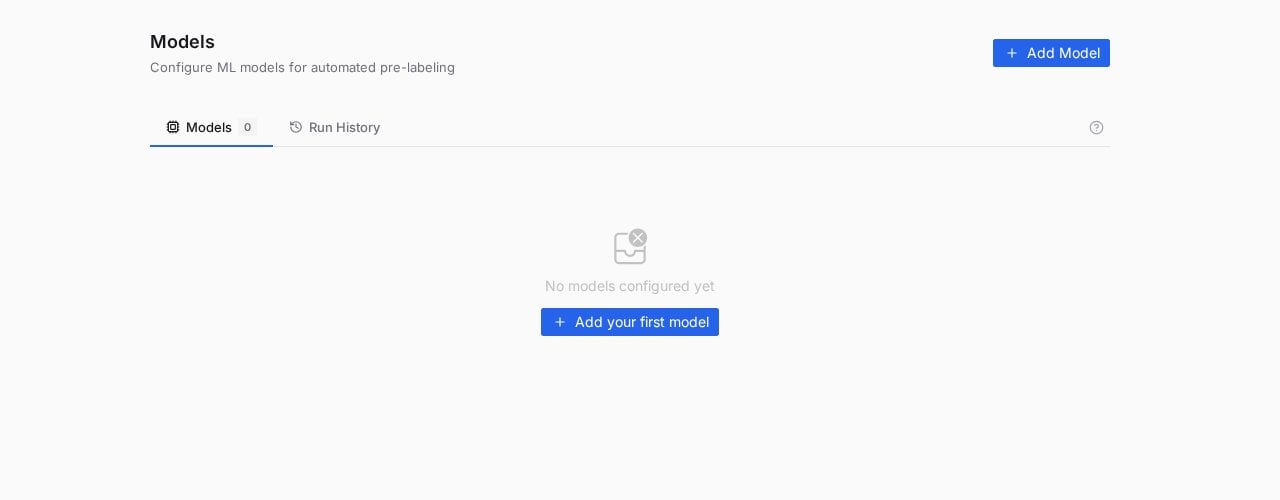
The Models page: registered models on the left tab, every execution on the Run History tab.
Bring your own model
PixlHub treats a model as an HTTP endpoint you own: your YOLOv8 service, your SageMaker successor, your internal detector behind an API. Registration is one form: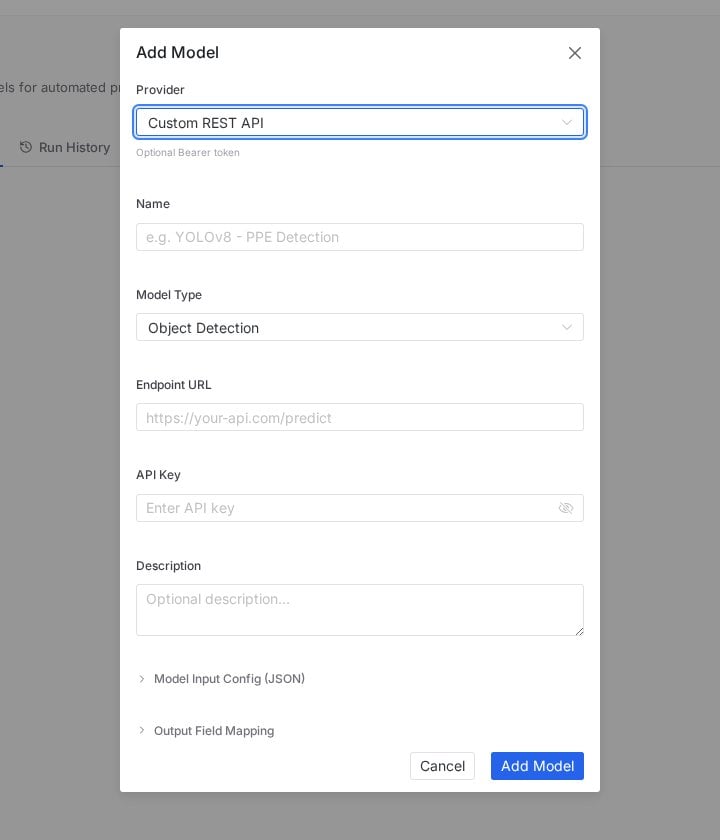
Add Model: endpoint, credentials, and the JSON contracts that adapt any API shape to PixlHub.
The two JSON contracts are the point: instead of forcing your API into a fixed schema, you describe the request and map the response, and almost any detector fits without a wrapper service.
Where registered models act
- In the editor
- In the workflow
The AI Tools section of the annotation palette exposes model assistance during labeling: propose annotations on the current task, then correct by hand. See AI-assisted annotation for the editor-side loop.
Run History
Every execution lands in the Run History tab: which model, which scope, when, and how it went. Treat it as the audit trail for automated labeling; when a batch of pre-labels looks off, the history tells you which model version produced it.Pre-labeling that actually saves time
- Correcting beats drawing only when the model is decent. Below roughly usable accuracy, deleting wrong boxes costs more than drawing; pilot on a small batch first.
- Keep humans in the loop. Pre-labels are proposals, not truth: run them through the same review gate as human work, and watch the Reviewer Edit Rate.
- Version your endpoint names. “YOLOv8-shelf-v3” in the name field makes Run History legible six months later.
Frequently asked questions
Do I need my own model to use PixlHub?
Do I need my own model to use PixlHub?
No. Models are an accelerator, not a requirement; the editor’s manual tools and the smart palette work without any registered model.
Where does inference run?
Where does inference run?
On your endpoint, on your infrastructure. PixlHub sends requests and maps responses; the model, its weights and its compute remain entirely yours.
What about LLM-based helpers?
What about LLM-based helpers?
Language-model workers are configured separately as Agents, with providers like OpenAI, Anthropic, Google, Grok and local Ollama.
Next steps
Agents
LLM workers for text, NER and captioning workflows.
AI-assisted annotation
The editor-side experience of model assistance.